






• Instagram Icon
  • Vimeo Icon
  • YouTube Icon
  • Nextdoor Icon
  • Search Icon
Contact Us
main content

iMS How-Tos


  • iMS Business Tax Receipt (BTR) Application

    iMS Business Tax Receipt (BTR) Application

    **Please contact the Business Tax office prior to filling out the application if you have already not done so**


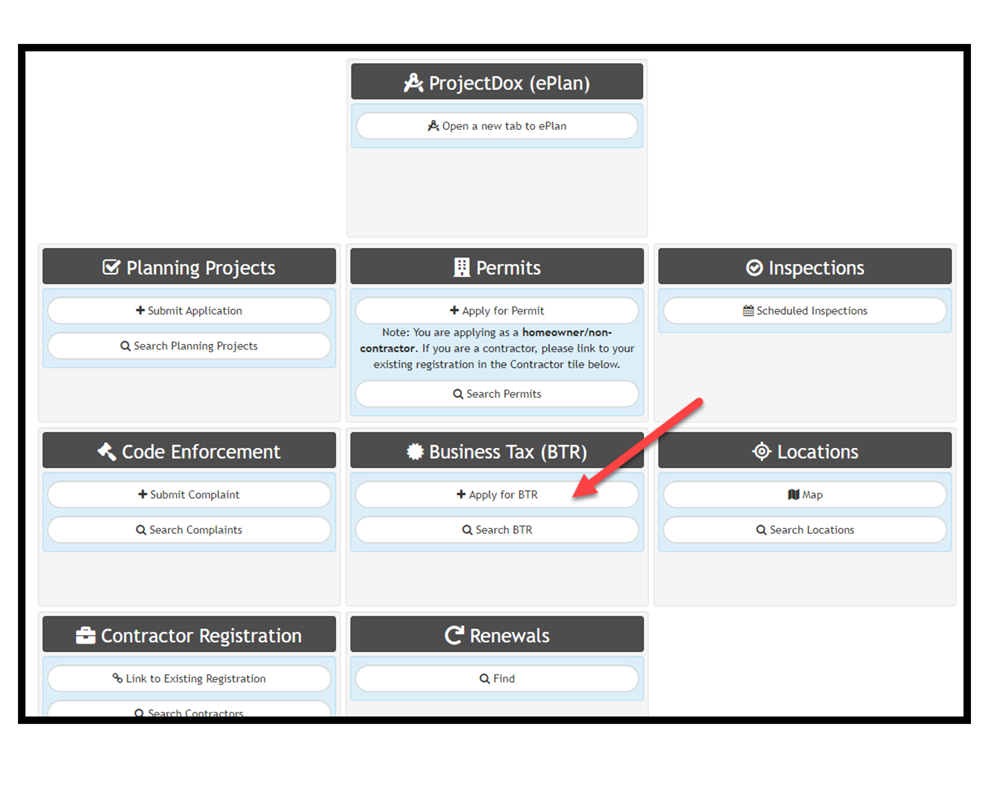
    Step 1:
    graphical user interface, text, application

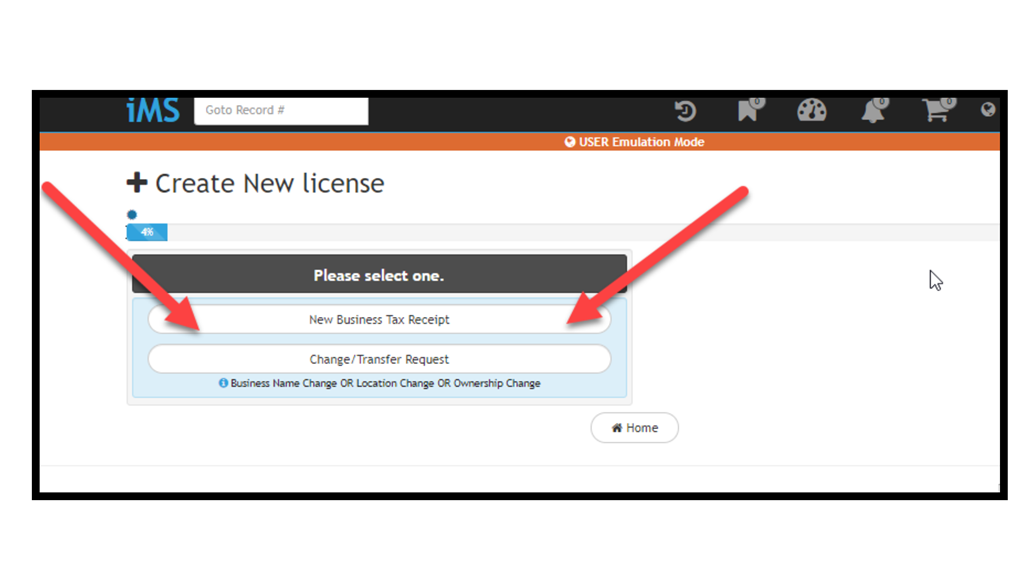
    Step 2:

    graphical user interface, application

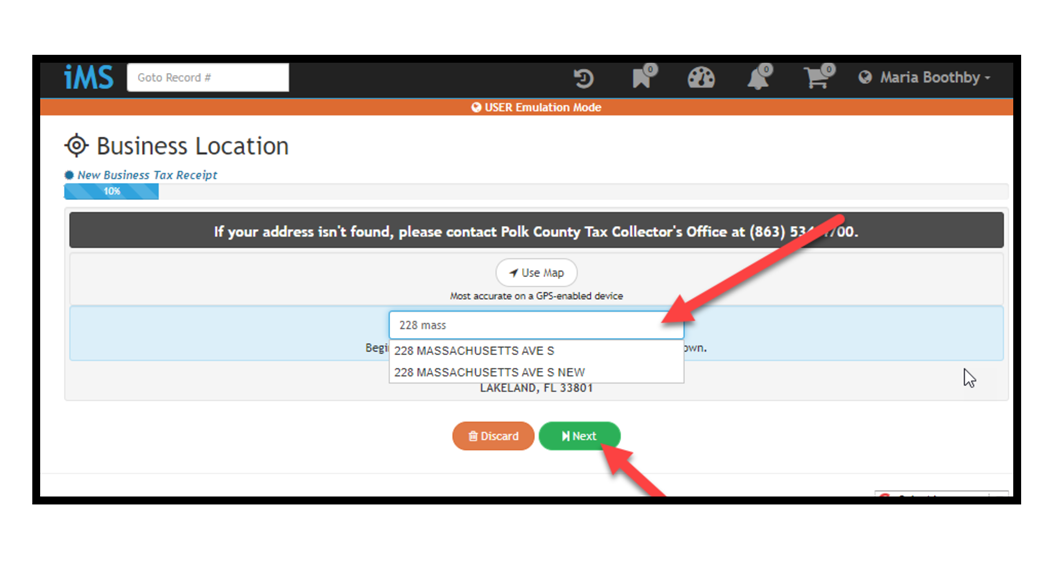
    Step 3:

    graphical user interface, text, application

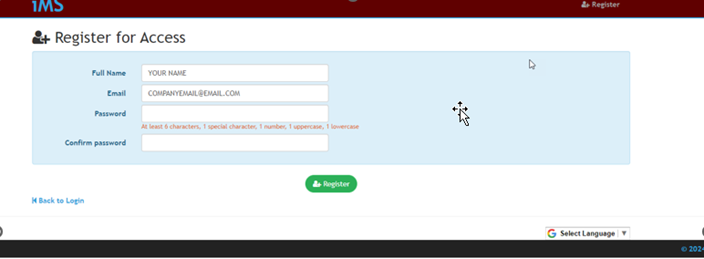
    Step 4:

    graphical user interface, text


    You can apply here:

    You can apply here:

    Main Office

    Business Tax Office
    228 S Massachusetts Avenue
    Lakeland, FL  33801
    863.834.6025


  • iMS New User Account Creation

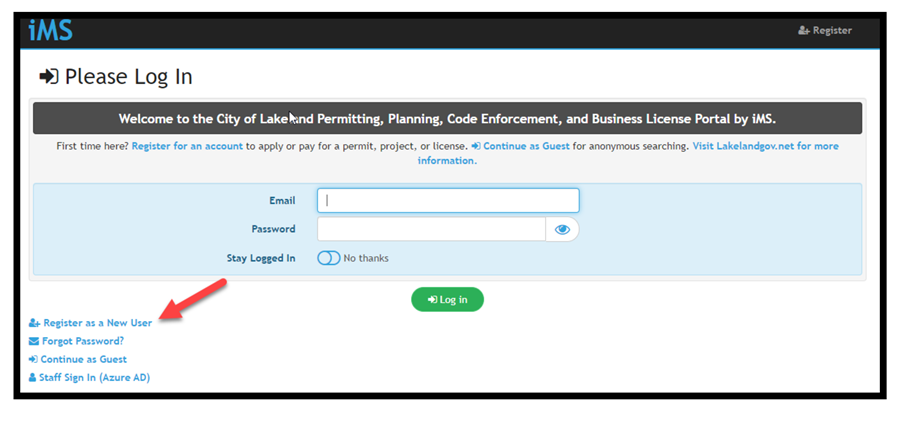
    iMS New User Account Creation


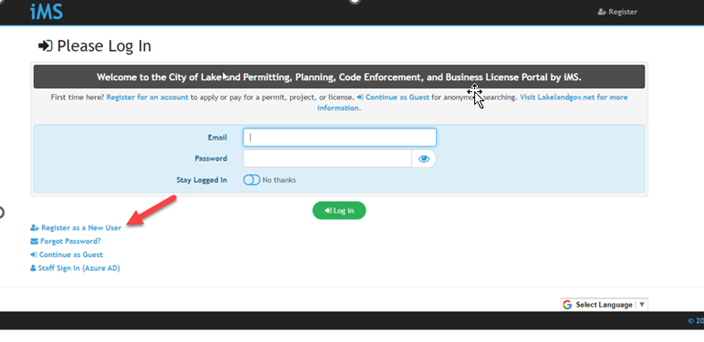
    The home screen of iMS. This image has a red arrow point to the "Register as a New User" linked text in the left bottom corner.

    The "Register for Access" screen on iMS. Users are prompted to write their full name, email, and password.

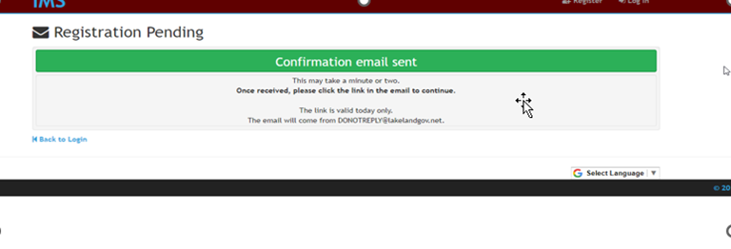
    • You will receive a validation email once the first part is completed. Please login to your email and click on the “Validate Email” button.

    The "Registration Pending" page. This is telling the user to check their email for a confirmation email to open their iMS account.

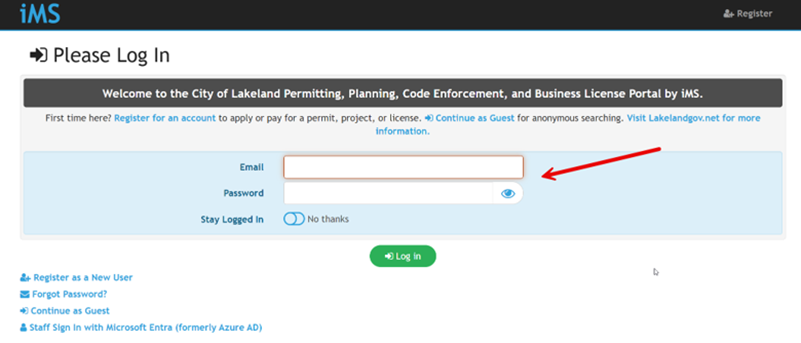
    • Once you’ve validated the account, this will take you back to the main iMS portal page, continue to login with your newly created username and password.

    This is the main iMS portal page again. There is a red arrow indicating that people should log in with their newly created login information.

    • You will be asked to finish completing your personal information for your new user login.

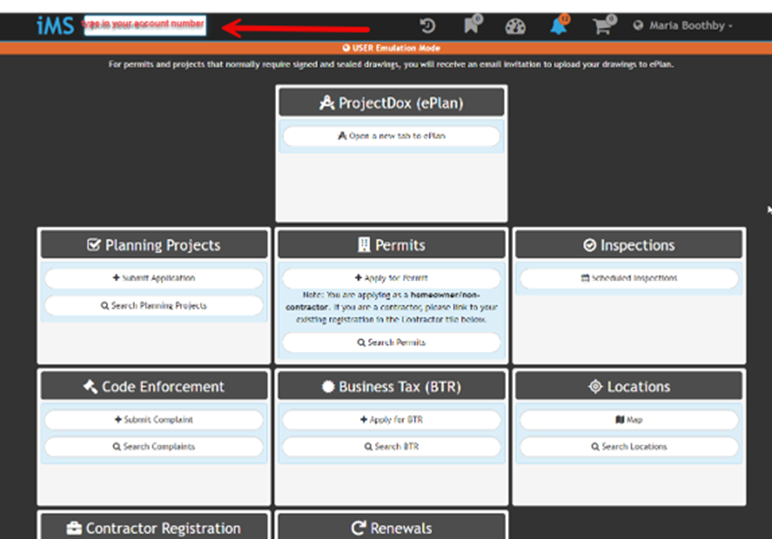
    • Once you’ve completed the new user login creation, you will land on a screen that looks like this. Here you can search for your Business Tax Receipt (BTR) account by typing the account number on the search bar.

    The main page users will see on iMS after logging in. This image has a red arrow pointing to the top left search bar where users will put their account number in to search for their Business Tax Reciept.

    • To manually link your account to your new user login, please reach out to the business tax office team at BusinessTaxOffice@LakelandGov.Net or by calling 863-834-6025 and ask for the account pin number, as well as instructions on how to manually link account.